HUBTEX HIT4
Information Terminal
Navigate smarter. Maneuver smarter.
From the road to the warehouse - Intelligent technology puts you in control.
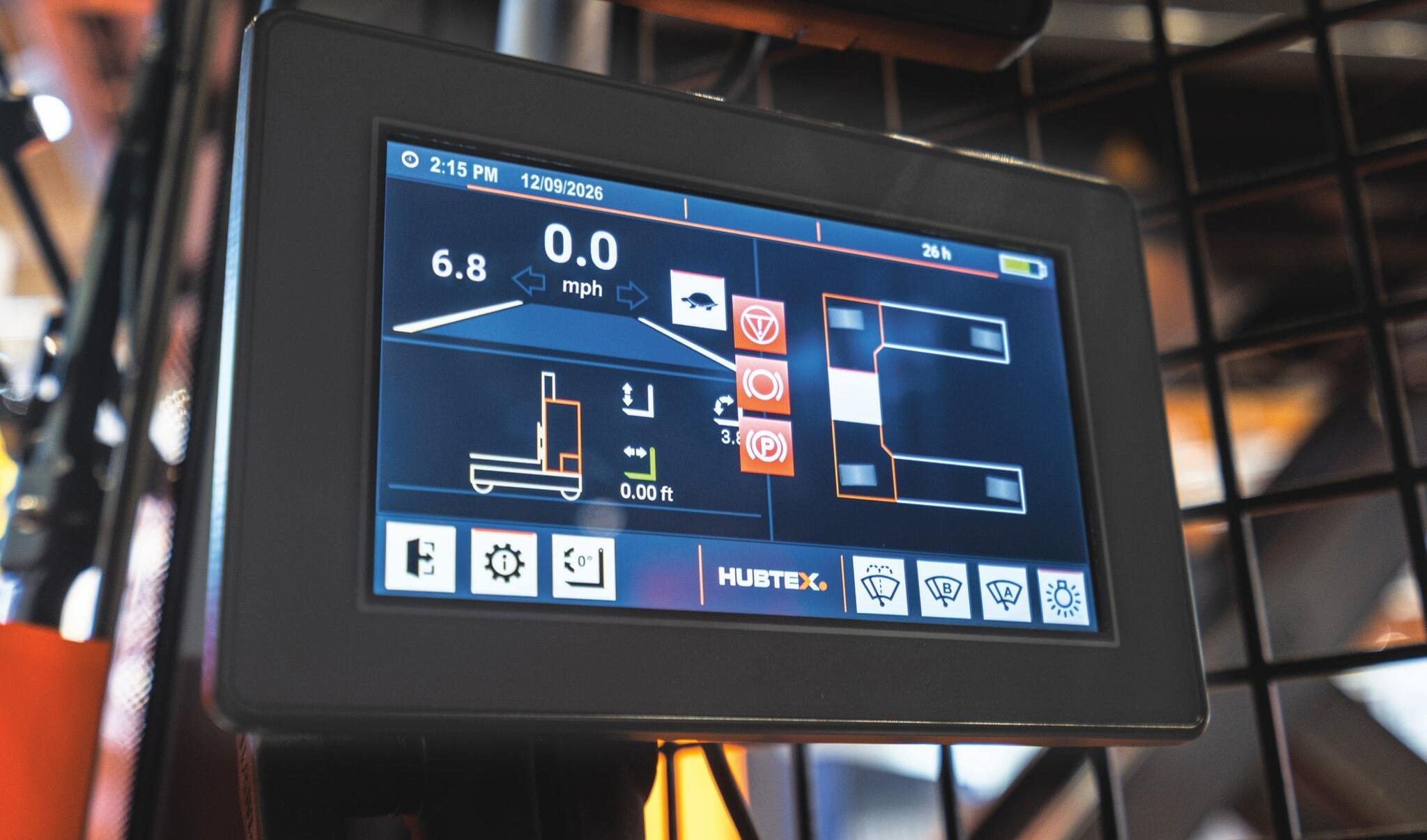
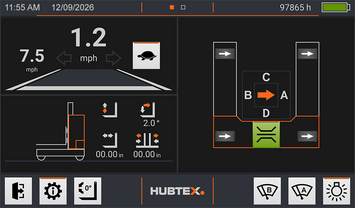
The fourth-generation HUBTEX Information Terminal brings truck status, assistance messages and digital pre-use checks together in the cab of a multidirectional forklift.
One display for the next move
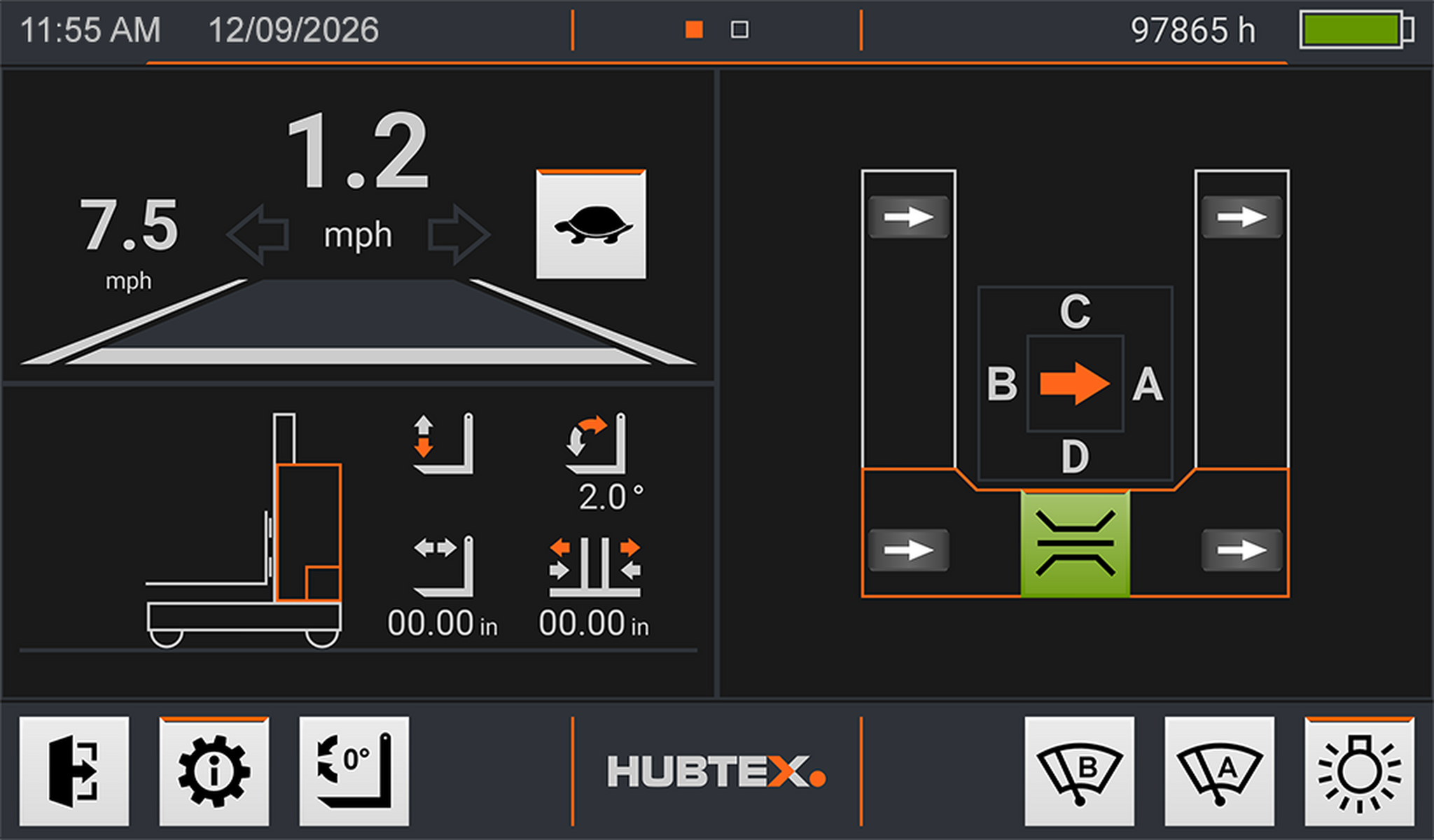
When you turn into an aisle with a long load, you need to know where the wheels are pointing. HIT4 shows wheel position, travel speed and battery status together. As conditions change, the display prioritizes notices, warnings and faults. Symbols, colors and plain-language messages help the operator decide what needs attention first.
Start with the truck inspection
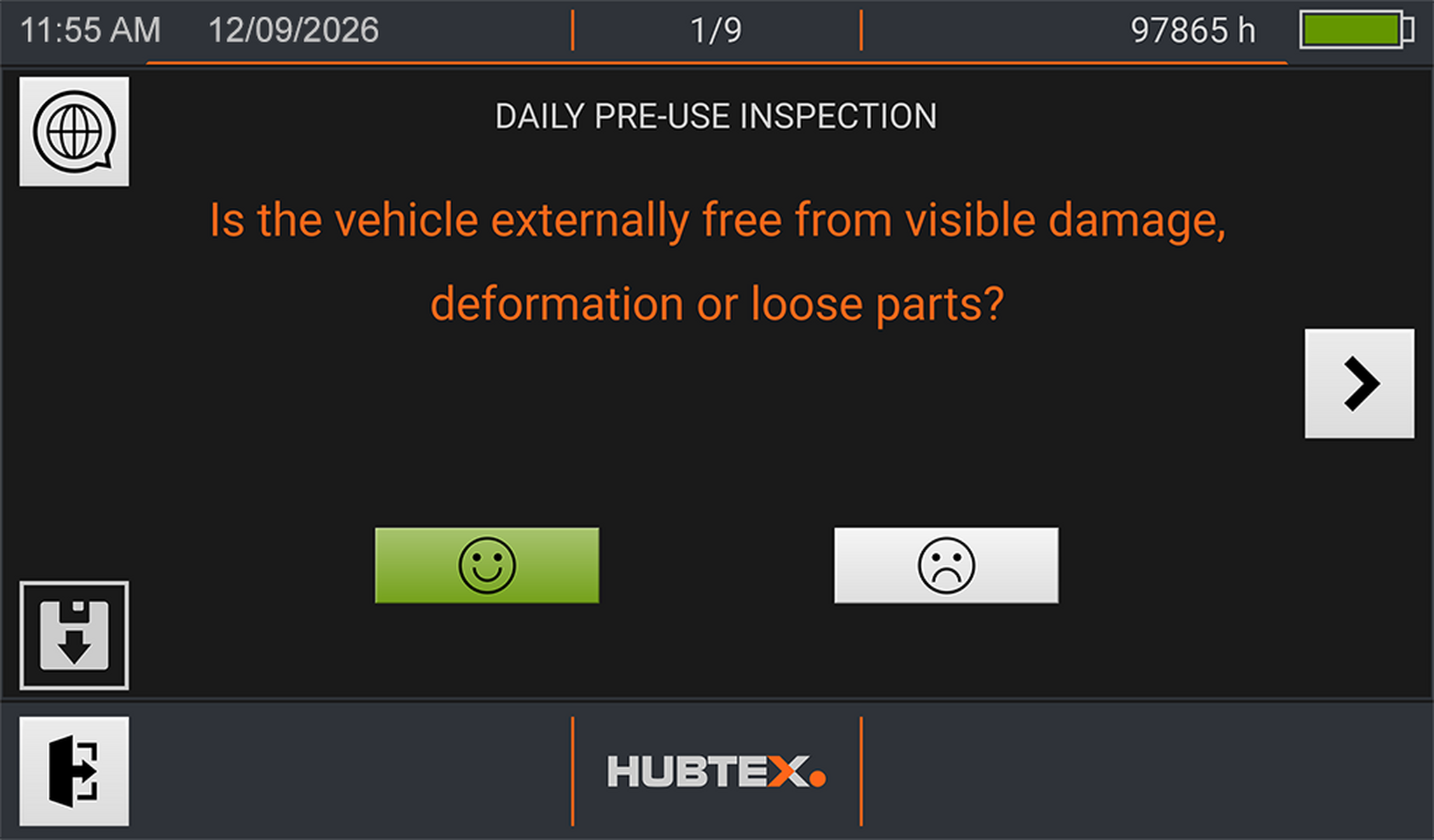
Inspect the truck, then record what you find in the digital pre-use checklist on HIT4. One prompt asks you to look for visible damage, deformation or loose parts. Supervisors can review the recorded response, time and driver ID in the inspection history.
What OSHA requires. Powered industrial trucks must be examined before entering service and at least daily. Trucks used around the clock must be examined after each shift. Report defects immediately and keep a truck with a safety-affecting defect out of service until it is corrected.
Change direction with your thumb
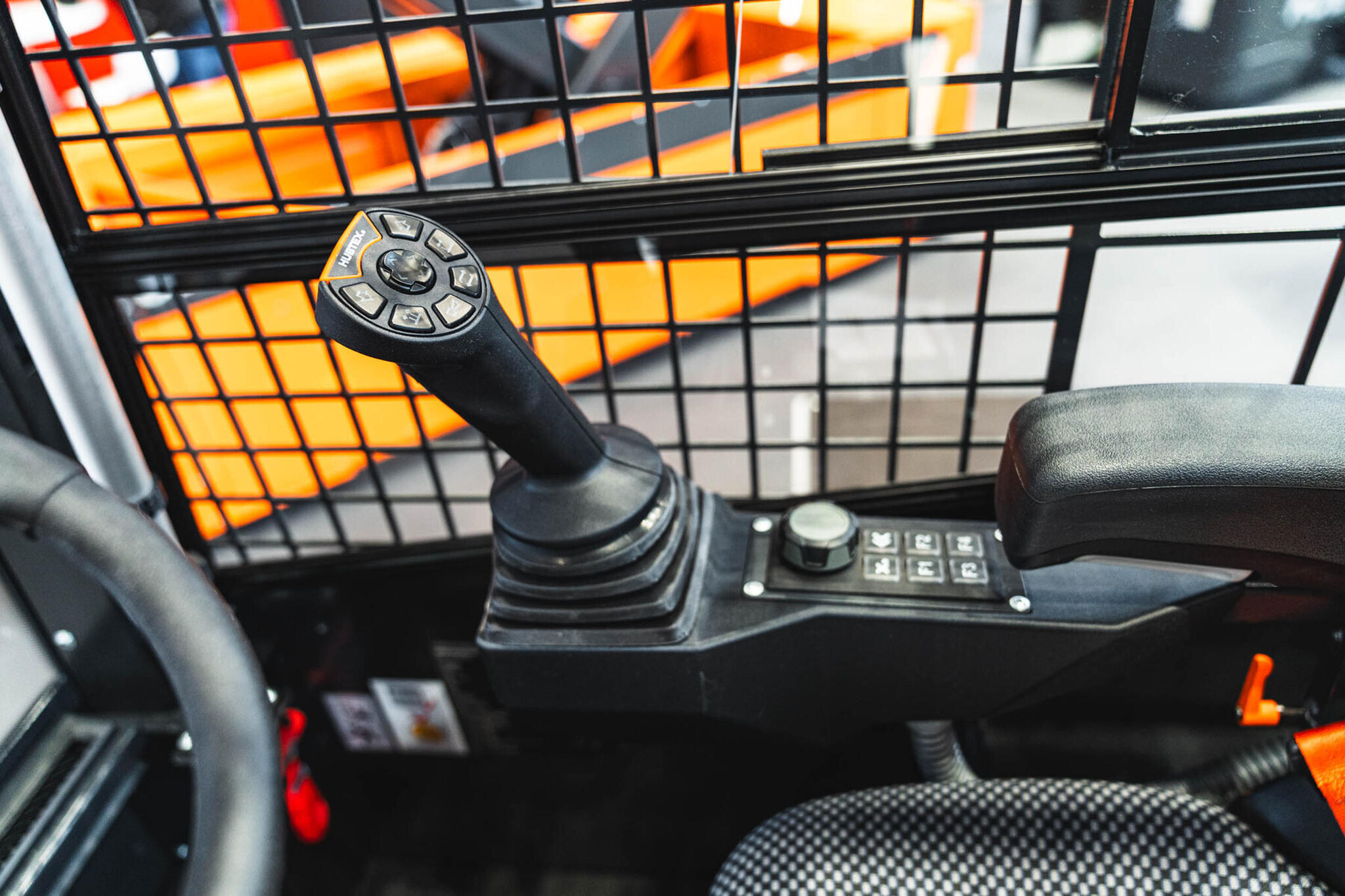
The joystick has a shaped thumb rest and a central rocker for frequent changes of travel direction. The backlit buttons have distinct shapes, so operators can tell them apart by feel in low light.
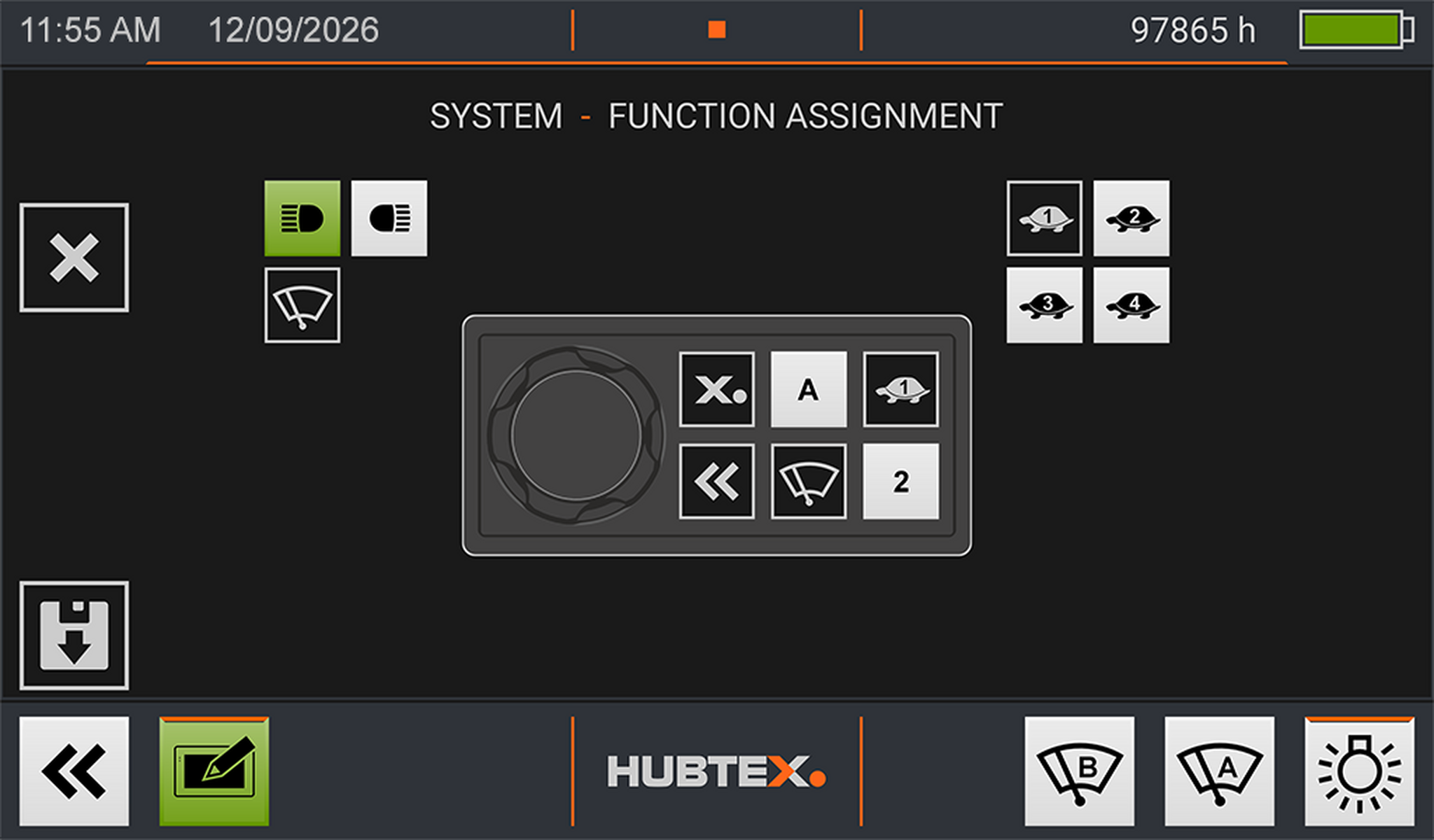
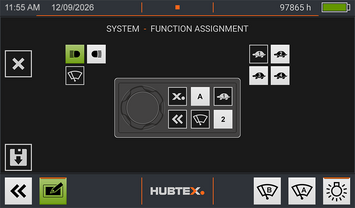
On PHOENIX trucks equipped with the display controller, operators can turn, press or tilt the dial to navigate menus while wearing gloves. Four assignable keys put recurring tasks such as selecting creep speed within reach. Home and Back have fixed positions.
Trace a warning after the shift
If an operator reports a fault, the service team can review active alarms and the event history on HIT4. Clearly named parameters give technicians a starting point for troubleshooting. Remote access is also available as an option.
Discuss HIT4 for your truck
Tell HUBTEX North America which truck you operate and what your operators handle. Our team can walk you through the display and control options for your configuration.